Registering to be a mentor (External Mentor)
1. Start Registration
- Click on ‘Create an Account’.
Select ‘Sign Up as Mentor/Coach’ to begin the registration process.
2. Check Username & Email Availability
- Create your preferred username and enter your email address.
The system will check if these details are available.
- If available, you will be redirected to the registration form.
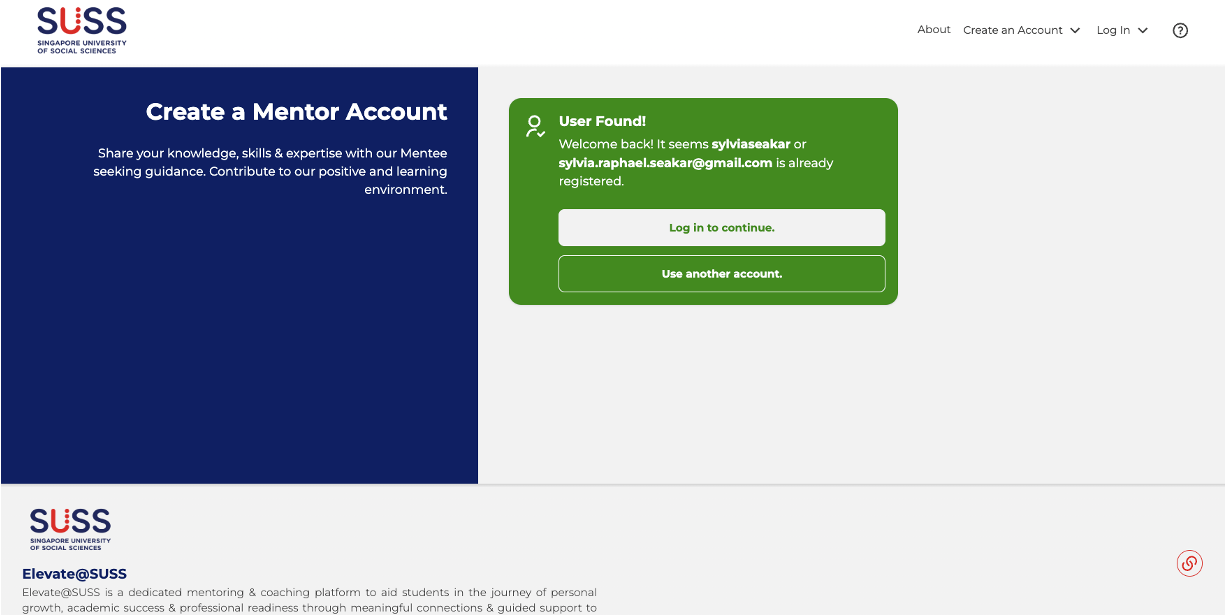
- If the username/email is already taken or you have registered previously, you will be prompted to log in with your existing details. Alternatively, click ‘Use another account’ to enter different details.
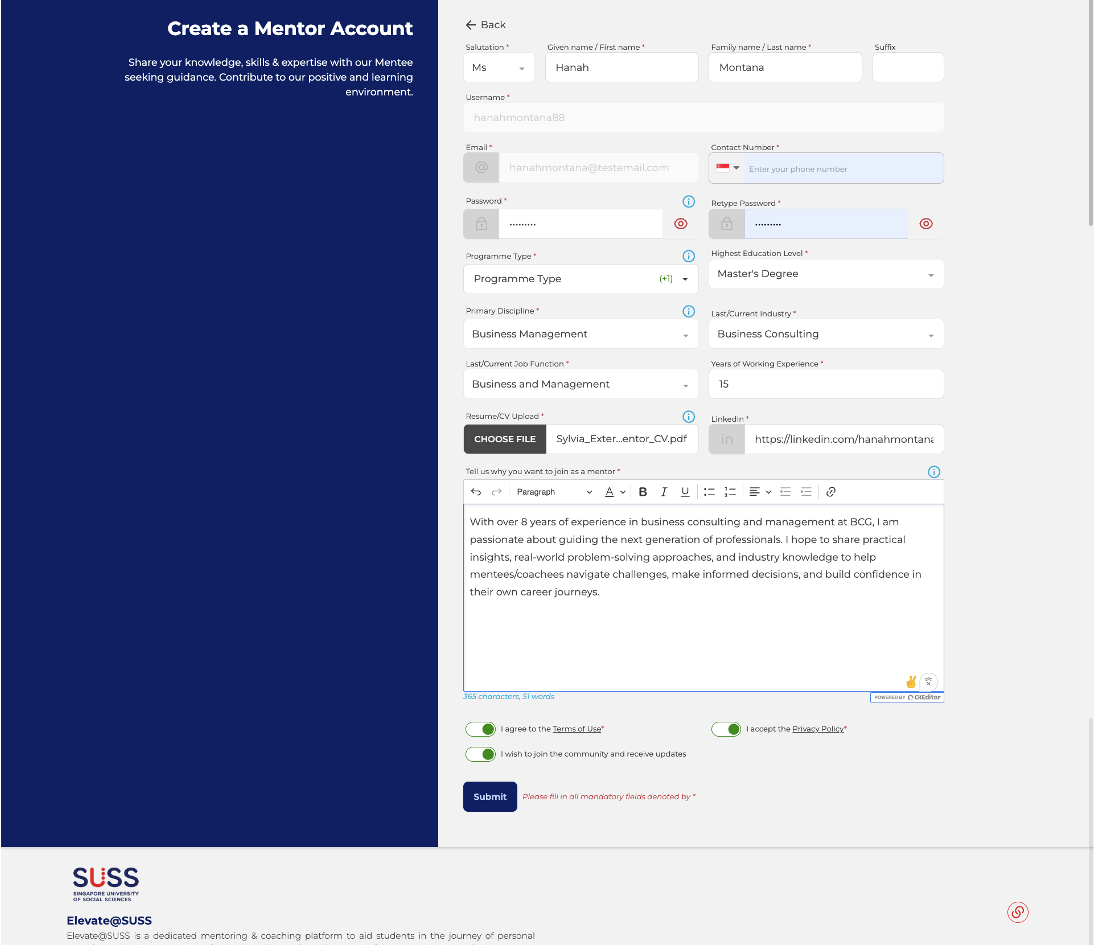
- Fill in all fields marked with * (mandatory).
- You will not be able to submit the form until all mandatory fields are completed.
Ensure you toggle to accept the Terms of Use and Privacy Policy before submission.
- Hover over the blue “i” icons for tooltips, which explain what information is required in each field.
5. Submit Registration
- Click ‘Submit’ once all mandatory fields are completed.
- Your request will be sent to the site administrator for approval.
You will receive a confirmation email once your registration has been successfully submitted.
Related Articles
Setting Up Your Mentor/Coach Profile
You can update your profile by either: Clicking the pencil icon on your dashboard next to “Complete your profile now!”, or Opening the Menu, selecting “Profile”, and then clicking “Edit Profile” on the profile page. You must complete the ‘Profile ...
Logging in via SSO (Internal Mentor/Coach)
1. Click on the ‘Log In’ and ‘Login with MyMail’ or ‘Log in now’ and 'with MyMail' button 2. Once redirected to the SUSS SSO login page, enter your Staff SSO email and click ‘Next’. For SUSS Staff: Please sign-in using the format UserID@uninet.edu.sg ...
How External Mentors Log In
1. Access the Login Page Once your account is approved, click on ‘Log In’. Select ‘Login with Password’. 2. Enter Username or Email Input either your registered username or email address. If you are unsure, refer to the details in your Registration ...
Features for Mentors and Coaches
As a mentor or coach on Elevate@SUSS, you have access to a suite of features designed to support your journey with students. Depending on your own workflow, you may use these features flexibly to meet the needs of your programme and mentees/coachees. ...
How to send a connection request
As a mentor/coach, you can reach out to learners directly to initiate a mentoring or coaching relationship. Here's how. Browsing and Filtering Learners From the navigation bar, click Journey > Search Learners. You will see a list of learners who are ...